Free and Open Source Software - a crash course
| 9 min read
Intro - what is FOSS?
Free and Open Source Software (FOSS). You may have come across the term before, but what does it mean? Well, the "free" bit is fairly straightforward - free software is software that you don't have to pay for.
But what about the "Open Source" part? Well, Open Source software means that the code that makes up the software has been published online, and is available for anyone to review and even to adapt and change for their own purposes.
How noble... what's the catch?
You're right to be skeptical in these trying times. We all know there is no such thing as a free lunch. Why would people go to the effort of making entire applications, and then just give them away?
There are actually a number of reasons. One possibility, is that people are using it to showcase their talents, with the view to generating interest in other things they want to sell. Perhaps offering a completely free Chrome extension, that links back to the portfolio website they use to generate business.
Others make money not from the software itself, which they give away freely, but from selling service packages to help you install and manage the product.
Still others just want to solve a personal issue that's been bugging them. Perhaps they need a way to put a customisable blog online. Having solved the problem, they put the code online and soon others are contributing, adding their own ideas. Before you know it, there's a whole community around the software, and it's the most popular free CMS platform on the planet.
Finally, there is a subset of FOSS that is perhaps much more recognisable to the capitalist world. Companies - yes companies - like Oracle or the Mozilla Foundation create lots of software in the way a "normal" software company does, but they are funded by grants or other charitable activities. The software they give away is as professional, secure, and feature rich as anything else, but they do not operate for a profit.
Regardless of the origins of your FOSS, there are some things to consider. We'll come back to those at the end, but for now let's explore what your FOSS options are. This is by no means an extensive list - something like that would be nearly impossible to collate. Instead, this is a list of the tools I think are the best fit for small organisations with limited budget and IT capacity. They straddle the line between functionality, ease of use, and (obviously) price. If you're looking to dip your toes in the waters of FOSS, then this list might just help you out.
You can also get your FOSS fix by heading to the Resource Centre.
Let's get our FOSS on...
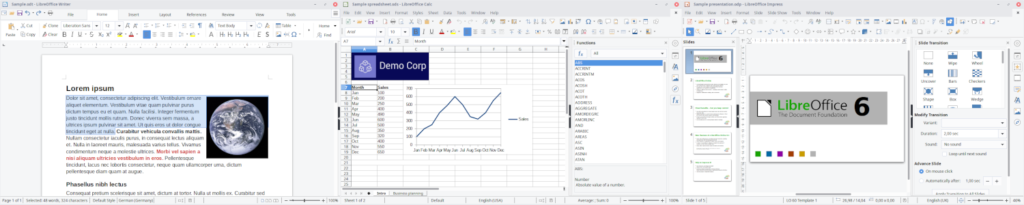 Screenshots of the LibreOffice suite - Writer, Calc, and Impress. Taken from the LibreOffice website
Want to ditch Microsoft Office? Try LibreOffice.
Perhaps the first question on your mind if you're thinking about switching software is "how will I type my documents?". Well, ask any nerd IT professional, and their first answer is likely to be LibreOffice. A veritable crown-jewel in the FOSS pantheon.
I say "crown-jewel"... Look, I'll say it right off the bat. For those used to the hyper polished look of Microsoft or Apple products, you might not think this the prettiest software on the list. Don't let that fool you though, what it lacks in sleekness, it makes up for in functionality. And, you know, being completely free. You'll get more or less everything you'll need from an Office suite - with Writer, Calc, and Impress ready to take the reins from Word, Excel, and PowerPoint respectively.
Will this give you everything that Microsoft Word will? Unfortunately not. One of the major benefits of the Microsoft 365 architecture is the ability to near-seamlessly document share and collaborate. Whether that's through SharePoint, via Teams, or even directly sharing a document and having a colleague work with you in real time. These things are not available to LibreOffice users.
It is also worth noting that, while LibreOffice can open and read, for example, Word documents, sometimes the formatting is specific to the Microsoft-owned .docx file type, and so you may experience some weird text placements moving from one software to another.
But, if those things aren't deal breakers for you, then you can pick yourself up an established, supported, and robust Office Suite for the princely sum of £0. And hey, if it works for city councils ranging from Limerick to Barcelona, then it's probably worth some thought?
 GIMP - the GNU Image Manipulation Programme. Image taken from the GIMP website.
Editing images? Check out GIMP.
The GNU Image Manipulation Programme is a... well it's a programme that allows you to manipulate images... Whether you want to touch up some holiday photos, or create your own artwork from scratch, GIMP might well be the only tool you need.
As a Photoshop replacement, it gets you most of the way there. What you can't do out of the box, you might be able to find in the form of extensions, or in presets that other users have uploaded.
GNU, incidentally, is a collection of free software that can come together as a whole Operating System, or be used as parts within other Operating Systems. It stands for "GNU is not Unix", for nerd reasons.
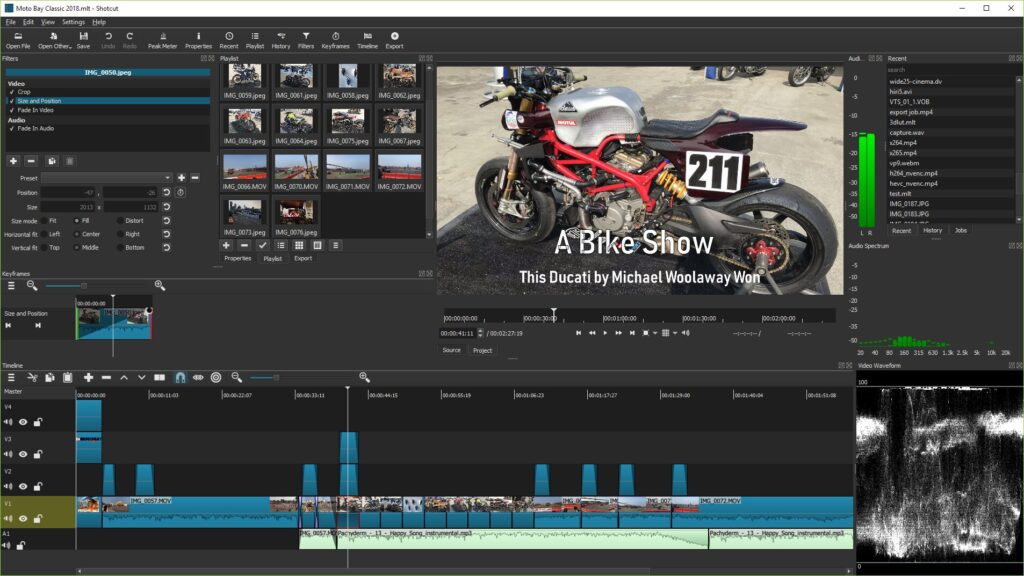 Screenshot of Shotcut, taken from the Shotcut website.
Need to edit video content? Use Shotcut
You can't search for "free video editor" without coming across Blender, one of the darlings of the FOSS ecosystem. A fully fledged graphics tool that can do everything from edit your videos to create and render 3D animation. It's a fantastic product, but comes with a huge learning curve.
Less well known, but my personal go-to, is Shotcut. If all you need is a tool to edit some videos - perhaps for creating online content - I highly recommend checking this out. It's simple to use, but comes with some powerful features. It's my go to software for editing HowTo videos before I send them to clients, including things like adding preset title cards, captions, and all the usual transitions (who doesn't love a good star-wipe?).
Bonus video related software: If you want to capture video - maybe record your screen for a tutorial video, or stream your gaming session for your Twitch followers, then have a look at OBS.
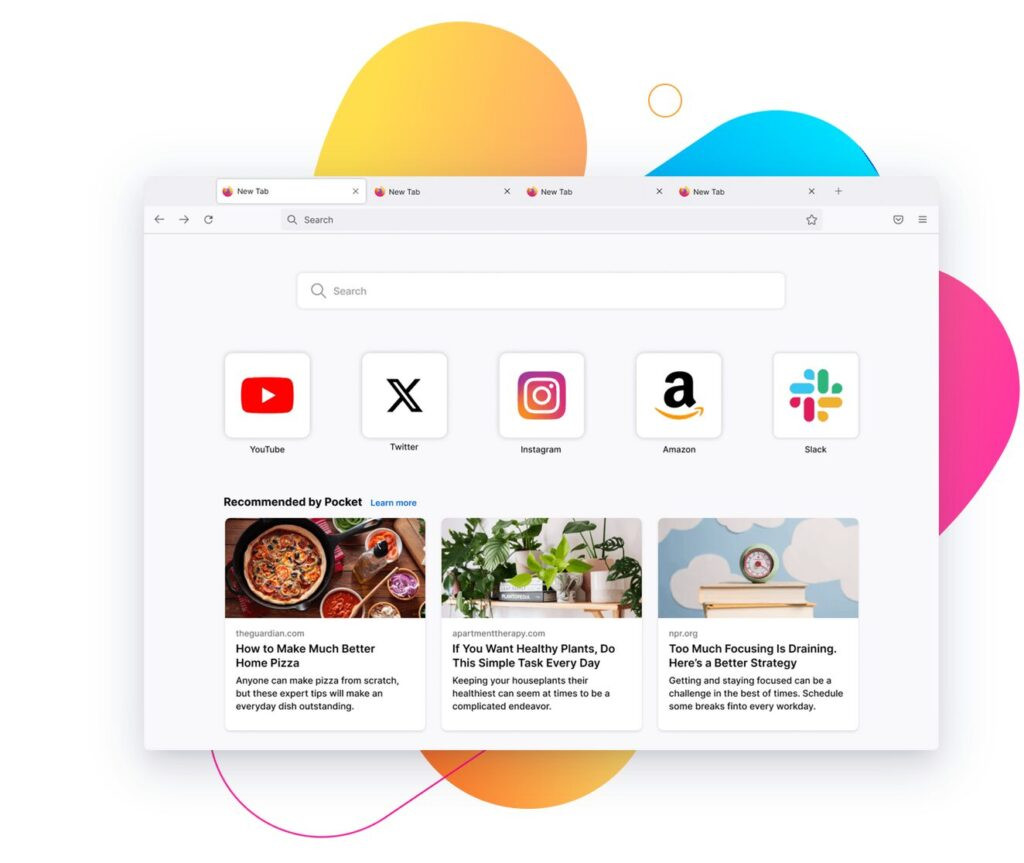 Firefox, taken from the Firefox website.
In need of a FOSS web browser? I use Firefox
Statistically speaking, you're reading this from a Chrome browser. For a long while now, Chrome has ruled the roost in the "things I access the internet with". Recently though, I made the switch from Chrome to Firefox. Why? Well I actually wrote a whole blog post about it. But in typical fashion, that whole post can probably be summed up in two bullet points:
-
Chrome was taking up a lot of resources, noticeably slowing down my laptop
-
I wanted to move away from Google and put my support into something Free and Open Source
Firefox is where I landed. Philosophically, I like what the Mozilla Foundation are doing, and - as importantly - Firefox is a great browser. If you've been on Chrome for any length of time, you'll likely have a number of extensions that you don't want to lose. The good news is that a lot of the better-known extensions exist on both browsers. You can also import all your history and bookmarks over as well, should you feel the need.
Bonus Mozilla tip: If you're in the market for an email client (maybe new Outlook is causing you grief) you should check out Thunderbird, also from Mozilla. There are some caveats if you still have a Microsoft 365 email, but if you're on Google or another client, then it's a very good option.
Some other things to consider
When you get a Microsoft 365 environment, or you setup a Google Workspace for your company, it's not just the access to applications you're getting. For most of those, there are FOSS alternatives.
But you're also getting things like cloud storage, some form of cyber protection, and, if you're in charge of multiple users, the ability to centrally manage your infrastructure. On top of all that, you're also getting access to email, alternatives for which we haven't covered here (watch this space).
If none of those things are super important to you - maybe you're a one-person setup, or a very small team that doesn't need a central file share - then some of these options will genuinely give you everything you need.
Equally, if you are a larger organisation - perhaps a school or research institution - you can get some SLA (Service Level Agreements) on tools like LibreOffice. You still don't pay anything for the software, but you pay for support and service management. For many, this is a good middle ground.
But jumping wholesale into the FOSS ecosystem isn't for everybody - and that's ok! The great news is that it's not an all-or-nothing option. Just because you need to stick with Microsoft for your email and office suite, doesn't mean you can't check out Shortcut for your video editing, or GIMP for your images.
Free and Open Source Software is built on the philosophy that good quality software should be accessible to everyone. If that's something you think you can get on board with, then why not explore some of those options today?
Want to chat about anything in this post? I'd love to hear from you!
Feel free to drop me an email
Or find me on Mastodon